Products
SOLO ENTERPRISE FOR
Agentic Infrastructure
agentgateway
agentregistry
kagent
Cloud Connectivity
Istio
kgateway
Get started with Solo
Get Started
Dashboard interface of Solo.io with navigation menu on the left and YAML code snippet of a FailoverPolicy configuration on the right.
Learn
RESOURCE CENTER
Blog
Docs
Labs
Webinars
Workshops
All Resources
Get started with Solo
Get Started
Dashboard interface of Solo.io with navigation menu on the left and YAML code snippet of a FailoverPolicy configuration on the right.
Company
COMPANY
Our Story
Customers
Partners
Newsroom
Trust Center
Events
Get Support
Contact Us
Careers
Get started with Solo
Get Started
Dashboard interface of Solo.io with navigation menu on the left and YAML code snippet of a FailoverPolicy configuration on the right.
Get Started
Request A Demo
See It In Action
This is some text inside of a div block.
No items found.
Additional Resources

Heading

Post

Heading

Post

Heading

Post
Series: API Management
Related Articles

API management

Azure API Management

API management tools

API Developer Portals: Empowering Developers with APIs

From Our blog

Building an MCP Gateway with Apigee API Gateway

Exposing microservices running in AWS EKS with a microservices/API gateway like Solo Gloo

API Gateways are going through an identity crisis

Donating Gloo Gateway to the CNCF: Introducing kgateway and advancing cloud connectivity

Navigating DeepSeek R1, Security Concerns, and Guardrails

What’s New in Gloo Gateway 1.18

A backstage pass for your APIs: How Gloo Portal and Backstage turn developers into rock stars

Featured content

See More
Interface displaying three options labeled Gloo Gateway, Gloo Mesh, and Gloo AI Gateway on a dark background.Gloo Gateway logo with stylized text on a dark blue background and a glowing circular design behind the text.Gloo AI Gateway logo with stylized text on a dark blue background and a glowing circular outline.Gloo Mesh logo with stylized text on a dark background.Stylized white dolphin logo centered on a dark blue circular gradient background.

The Role of Virtual MCP in Managing LLM Costs

Agentic workflows can multiply LLM costs. Explore how Virtual MCP in agentgateway simplifies MCP management while reducing token consumption through centralized tool discovery, filtering, and governance.

Read Blog
Interface displaying three options labeled Gloo Gateway, Gloo Mesh, and Gloo AI Gateway on a dark background.Gloo Gateway logo with stylized text on a dark blue background and a glowing circular design behind the text.Gloo AI Gateway logo with stylized text on a dark blue background and a glowing circular outline.Gloo Mesh logo with stylized text on a dark background.Stylized white dolphin logo centered on a dark blue circular gradient background.

What 'is' Agent Identity? Human? Workload? A new Layer?

In previous posts, I’ve covered the reasons why an AI agent needs an identity. I recommend reading that first. In this post I want to nail down “what is agent identity” because I’ve seen a lot of different interpretations from smart people such as “use OAuth” to “it’s just workload identity”, and new protocols cropping up, etc. But what “is” an agent identity in concrete terms?

Read Blog
Interface displaying three options labeled Gloo Gateway, Gloo Mesh, and Gloo AI Gateway on a dark background.Gloo Gateway logo with stylized text on a dark blue background and a glowing circular design behind the text.Gloo AI Gateway logo with stylized text on a dark blue background and a glowing circular outline.Gloo Mesh logo with stylized text on a dark background.Stylized white dolphin logo centered on a dark blue circular gradient background.

Interview with James Quigley on Istio Ambient at KCD NY

Learn why James Quigley's team adopted Istio Ambient for mTLS, security, and operational simplicity, and how the journey unfolded.

Read Blog
Interface displaying three options labeled Gloo Gateway, Gloo Mesh, and Gloo AI Gateway on a dark background.Gloo Gateway logo with stylized text on a dark blue background and a glowing circular design behind the text.Gloo AI Gateway logo with stylized text on a dark blue background and a glowing circular outline.Gloo Mesh logo with stylized text on a dark background.Stylized white dolphin logo centered on a dark blue circular gradient background.

kagent <3 Agent Substrate: A 101 installation & Configuration Guide

Learn how to run AI agents on Kubernetes with Agent Substrate and kagent. This step-by-step guide covers architecture, installation, configuration, and deploying agent workloads using the Substrate runtime.

Read Blog
Interface displaying three options labeled Gloo Gateway, Gloo Mesh, and Gloo AI Gateway on a dark background.Gloo Gateway logo with stylized text on a dark blue background and a glowing circular design behind the text.Gloo AI Gateway logo with stylized text on a dark blue background and a glowing circular outline.Gloo Mesh logo with stylized text on a dark background.Stylized white dolphin logo centered on a dark blue circular gradient background.

Solo Enterprise for Istio 1.30: Agentic Mesh, ztunnel-Native Egress, New UI, and Fine-Grained Workload Identity

This release brings agentgateway into the ambient mesh as a waypoint, ingress, and egress proxy, adds egress controls directly in ztunnel, ships a revamped Solo UI with a new advanced Service Graph, and introduces workload identity that goes beyond the service account.

Read Blog
Interface displaying three options labeled Gloo Gateway, Gloo Mesh, and Gloo AI Gateway on a dark background.Gloo Gateway logo with stylized text on a dark blue background and a glowing circular design behind the text.Gloo AI Gateway logo with stylized text on a dark blue background and a glowing circular outline.Gloo Mesh logo with stylized text on a dark background.Stylized white dolphin logo centered on a dark blue circular gradient background.

Agentgateway Code Mode for OpenAPI to MCP

A very common pattern for MCP servers in the enterprise is to wrap existing APIs. We’ve invested 20+ years in building useful, reusable, valuable APIs, should we really be reinventing everything just because a fancy new protocol showed up? Is that even practical? The answer is no. We need to be practical and recognize some fundamental challenges mapping APIs to MCP tools. With agentgateway, we have three ways to expose OpenAPI operations via MCP: direct exposure, custom exposure with optional API chaining, or an AI model-controlled “code mode”.

Read Blog
Interface displaying three options labeled Gloo Gateway, Gloo Mesh, and Gloo AI Gateway on a dark background.Gloo Gateway logo with stylized text on a dark blue background and a glowing circular design behind the text.Gloo AI Gateway logo with stylized text on a dark blue background and a glowing circular outline.Gloo Mesh logo with stylized text on a dark background.Stylized white dolphin logo centered on a dark blue circular gradient background.

From Service Mesh to Agentic Mesh

Service mesh became boring...but it's more foundational than ever before.

Read Blog
Interface displaying three options labeled Gloo Gateway, Gloo Mesh, and Gloo AI Gateway on a dark background.Gloo Gateway logo with stylized text on a dark blue background and a glowing circular design behind the text.Gloo AI Gateway logo with stylized text on a dark blue background and a glowing circular outline.Gloo Mesh logo with stylized text on a dark background.Stylized white dolphin logo centered on a dark blue circular gradient background.

Keeping Context and Tokens Low With Progressive Disclosure In Agentgateway

Learn how to cut MCP token usage by 91% using agentgateway’s progressive disclosure. Reduce cost, control context bloat, and optimize agent workflows.

Read Blog
Interface displaying three options labeled Gloo Gateway, Gloo Mesh, and Gloo AI Gateway on a dark background.Gloo Gateway logo with stylized text on a dark blue background and a glowing circular design behind the text.Gloo AI Gateway logo with stylized text on a dark blue background and a glowing circular outline.Gloo Mesh logo with stylized text on a dark background.Stylized white dolphin logo centered on a dark blue circular gradient background.

MCP Progressive Disclosure: Save Tokens, Retrieve Schemas

Read Blog
Interface displaying three options labeled Gloo Gateway, Gloo Mesh, and Gloo AI Gateway on a dark background.Gloo Gateway logo with stylized text on a dark blue background and a glowing circular design behind the text.Gloo AI Gateway logo with stylized text on a dark blue background and a glowing circular outline.Gloo Mesh logo with stylized text on a dark background.Stylized white dolphin logo centered on a dark blue circular gradient background.

Five Minutes to Your First MCP Server Tool: A Quickstart with agentgateway

New to agentic AI? This guide walks you through running agentgateway locally, connecting to MCP servers, and understanding core concepts like rate limiting and observability.

Read Blog
Interface displaying three options labeled Gloo Gateway, Gloo Mesh, and Gloo AI Gateway on a dark background.Gloo Gateway logo with stylized text on a dark blue background and a glowing circular design behind the text.Gloo AI Gateway logo with stylized text on a dark blue background and a glowing circular outline.Gloo Mesh logo with stylized text on a dark background.Stylized white dolphin logo centered on a dark blue circular gradient background.

Agentic Quality Benchmarking With Agentevals

Read Blog
Interface displaying three options labeled Gloo Gateway, Gloo Mesh, and Gloo AI Gateway on a dark background.Gloo Gateway logo with stylized text on a dark blue background and a glowing circular design behind the text.Gloo AI Gateway logo with stylized text on a dark blue background and a glowing circular outline.Gloo Mesh logo with stylized text on a dark background.Stylized white dolphin logo centered on a dark blue circular gradient background.

The AppMesh Migration Playbook

Read Blog
Interface displaying three options labeled Gloo Gateway, Gloo Mesh, and Gloo AI Gateway on a dark background.Gloo Gateway logo with stylized text on a dark blue background and a glowing circular design behind the text.Gloo AI Gateway logo with stylized text on a dark blue background and a glowing circular outline.Gloo Mesh logo with stylized text on a dark background.Stylized white dolphin logo centered on a dark blue circular gradient background.

Solo Enterprise for Istio 1.29: ECS Now GA, Enhanced Debuggability, and Flexible Global Service Aliasing

The latest Solo Enterprise for Istio release delivers General Availability of AWS ECS integration and powerful new global service aliasing capabilities.

Read Blog
Interface displaying three options labeled Gloo Gateway, Gloo Mesh, and Gloo AI Gateway on a dark background.Gloo Gateway logo with stylized text on a dark blue background and a glowing circular design behind the text.Gloo AI Gateway logo with stylized text on a dark blue background and a glowing circular outline.Gloo Mesh logo with stylized text on a dark background.Stylized white dolphin logo centered on a dark blue circular gradient background.

Your First AI Route: Connecting to OpenAI with AgentGateway

Read Blog
Interface displaying three options labeled Gloo Gateway, Gloo Mesh, and Gloo AI Gateway on a dark background.Gloo Gateway logo with stylized text on a dark blue background and a glowing circular design behind the text.Gloo AI Gateway logo with stylized text on a dark blue background and a glowing circular outline.Gloo Mesh logo with stylized text on a dark background.Stylized white dolphin logo centered on a dark blue circular gradient background.

Getting started with Multi-LLM provider routing

Read Blog
Interface displaying three options labeled Gloo Gateway, Gloo Mesh, and Gloo AI Gateway on a dark background.Gloo Gateway logo with stylized text on a dark blue background and a glowing circular design behind the text.Gloo AI Gateway logo with stylized text on a dark blue background and a glowing circular outline.Gloo Mesh logo with stylized text on a dark background.Stylized white dolphin logo centered on a dark blue circular gradient background.

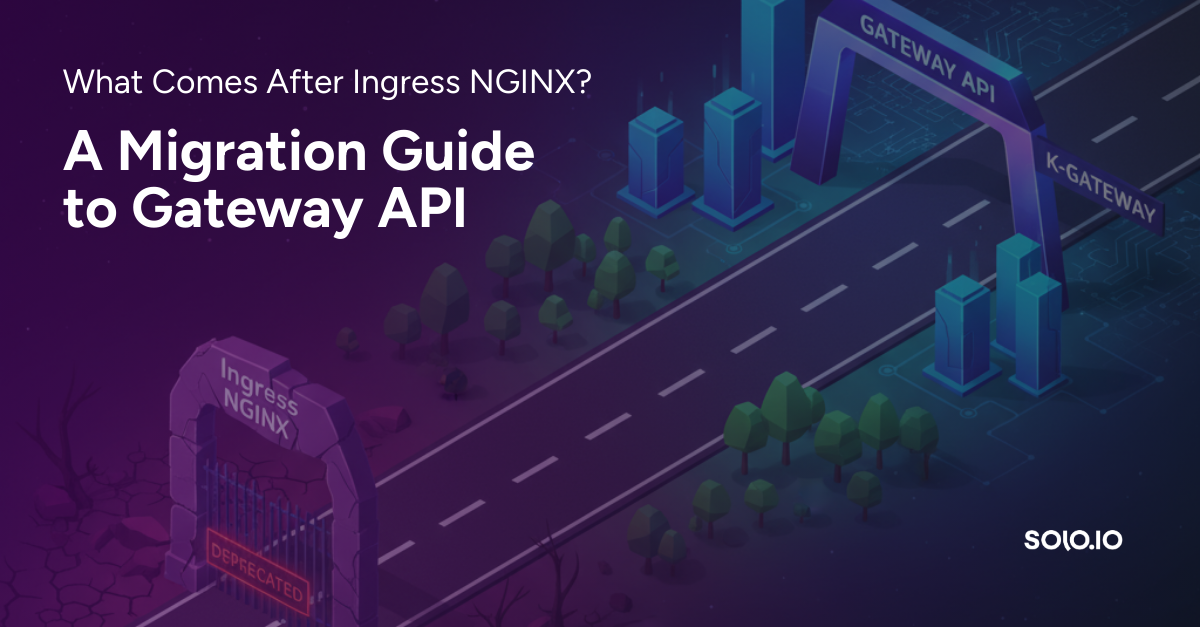
What Comes After Ingress NGINX? A Migration Guide to Gateway API

Ingress NGINX is being retired. This guide walks through migrating Ingress configs to Kubernetes Gateway API using ingress2gateway and kgateway.

Read Blog
Interface displaying three options labeled Gloo Gateway, Gloo Mesh, and Gloo AI Gateway on a dark background.Gloo Gateway logo with stylized text on a dark blue background and a glowing circular design behind the text.Gloo AI Gateway logo with stylized text on a dark blue background and a glowing circular outline.Gloo Mesh logo with stylized text on a dark background.Stylized white dolphin logo centered on a dark blue circular gradient background.

Why Traditional Gateways Failed AI Workloads - and How Kgateway's Rust-powered Agentgateway Fixes It

Most AI gateways patch legacy proxies. Kgateway starts from first principles, rethinking the gateway for the agentic era with a data plane built specifically for modern AI traffic.

Read Blog
Interface displaying three options labeled Gloo Gateway, Gloo Mesh, and Gloo AI Gateway on a dark background.Gloo Gateway logo with stylized text on a dark blue background and a glowing circular design behind the text.Gloo AI Gateway logo with stylized text on a dark blue background and a glowing circular outline.Gloo Mesh logo with stylized text on a dark background.Stylized white dolphin logo centered on a dark blue circular gradient background.

Context-aware Security for Agentic AI Gateways

If your gateway can’t tell the difference between a tool call and a model invocation, it can’t enforce meaningful security. Agentic systems demand a new class of context-aware, AI-native gateways.

Read Blog
Interface displaying three options labeled Gloo Gateway, Gloo Mesh, and Gloo AI Gateway on a dark background.Gloo Gateway logo with stylized text on a dark blue background and a glowing circular design behind the text.Gloo AI Gateway logo with stylized text on a dark blue background and a glowing circular outline.Gloo Mesh logo with stylized text on a dark background.Stylized white dolphin logo centered on a dark blue circular gradient background.

Kgateway: The Best Alternative for Ingress NGINX

Learn how kgateway, a CNCF-hosted project built on Envoy, offers a trusted path forward for Ingress NGINX.

Read Blog
Interface displaying three options labeled Gloo Gateway, Gloo Mesh, and Gloo AI Gateway on a dark background.Gloo Gateway logo with stylized text on a dark blue background and a glowing circular design behind the text.Gloo AI Gateway logo with stylized text on a dark blue background and a glowing circular outline.Gloo Mesh logo with stylized text on a dark background.Stylized white dolphin logo centered on a dark blue circular gradient background.

The Linux Foundation’s new Agentic AI Foundation and Secure MCP Infrastructure

Read Blog
Interface displaying three options labeled Gloo Gateway, Gloo Mesh, and Gloo AI Gateway on a dark background.Gloo Gateway logo with stylized text on a dark blue background and a glowing circular design behind the text.Gloo AI Gateway logo with stylized text on a dark blue background and a glowing circular outline.Gloo Mesh logo with stylized text on a dark background.Stylized white dolphin logo centered on a dark blue circular gradient background.

Security Holes in MCP Servers and How To Plug Them

Learn how to close the major security gaps in Model Context Protocol (MCP) with a proper AI Gateway. This guide walks you through deploying MCP Servers on Kubernetes, adding authentication, locking down tools, and strengthening your organization’s overall MCP security posture.

Read Blog
Interface displaying three options labeled Gloo Gateway, Gloo Mesh, and Gloo AI Gateway on a dark background.Gloo Gateway logo with stylized text on a dark blue background and a glowing circular design behind the text.Gloo AI Gateway logo with stylized text on a dark blue background and a glowing circular outline.Gloo Mesh logo with stylized text on a dark background.Stylized white dolphin logo centered on a dark blue circular gradient background.

Announcing Gloo Mesh Support for Amazon ECS

Latest Gloo Mesh release now provides support and enterprise-grade service mesh capabilities for Amazon ECS workloads.

Read Blog
Interface displaying three options labeled Gloo Gateway, Gloo Mesh, and Gloo AI Gateway on a dark background.Gloo Gateway logo with stylized text on a dark blue background and a glowing circular design behind the text.Gloo AI Gateway logo with stylized text on a dark blue background and a glowing circular outline.Gloo Mesh logo with stylized text on a dark background.Stylized white dolphin logo centered on a dark blue circular gradient background.

Gloo Mesh 2.11: Expands Support to Amazon ECS and Brings Multi-Tenant Flexibility to Enterprises.

Latest Gloo Mesh release expands support to Amazon ECS and brings multi-tenant flexibility to enterprises.

Read Blog
Interface displaying three options labeled Gloo Gateway, Gloo Mesh, and Gloo AI Gateway on a dark background.Gloo Gateway logo with stylized text on a dark blue background and a glowing circular design behind the text.Gloo AI Gateway logo with stylized text on a dark blue background and a glowing circular outline.Gloo Mesh logo with stylized text on a dark background.Stylized white dolphin logo centered on a dark blue circular gradient background.

Reducing the costs and complexity of your cloud native architecture with Ambient Mesh

Learn how Istio's Ambient Mesh simplifies cloud-native connectivity and dramatically reduces the cost and complexity of connecting, securing, and observing services across on-prem, cloud, or hybrid environments — without sidecars.

Read Blog
Interface displaying three options labeled Gloo Gateway, Gloo Mesh, and Gloo AI Gateway on a dark background.Gloo Gateway logo with stylized text on a dark blue background and a glowing circular design behind the text.Gloo AI Gateway logo with stylized text on a dark blue background and a glowing circular outline.Gloo Mesh logo with stylized text on a dark background.Stylized white dolphin logo centered on a dark blue circular gradient background.

Introducing Solo Enterprise for agentgateway

From pilots to production with context-aware AI networking

Read Blog
Interface displaying three options labeled Gloo Gateway, Gloo Mesh, and Gloo AI Gateway on a dark background.Gloo Gateway logo with stylized text on a dark blue background and a glowing circular design behind the text.Gloo AI Gateway logo with stylized text on a dark blue background and a glowing circular outline.Gloo Mesh logo with stylized text on a dark background.Stylized white dolphin logo centered on a dark blue circular gradient background.

Ambient mesh deployments made easy with Gloo Operator

This article discusses different ways to install Istio ambient mesh, and contrasts the Helm approach with the Gloo Operator, a new method for installing ambient mesh in Gloo Mesh.

Read Blog
Interface displaying three options labeled Gloo Gateway, Gloo Mesh, and Gloo AI Gateway on a dark background.Gloo Gateway logo with stylized text on a dark blue background and a glowing circular design behind the text.Gloo AI Gateway logo with stylized text on a dark blue background and a glowing circular outline.Gloo Mesh logo with stylized text on a dark background.Stylized white dolphin logo centered on a dark blue circular gradient background.

Choosing between installation methods in Gloo Mesh: Helm vs. the Gloo Operator

Explore Istio installation options with Gloo Mesh. Compare Helm for control and flexibility vs. Gloo Operator for simplicity and automation to find the best fit for your environment.

Read Blog
Interface displaying three options labeled Gloo Gateway, Gloo Mesh, and Gloo AI Gateway on a dark background.Gloo Gateway logo with stylized text on a dark blue background and a glowing circular design behind the text.Gloo AI Gateway logo with stylized text on a dark blue background and a glowing circular outline.Gloo Mesh logo with stylized text on a dark background.Stylized white dolphin logo centered on a dark blue circular gradient background.

How ambient mesh challenges the security gaps in sidecar workloads

Discover how Istio’s ambient mesh strengthens microservices security beyond sidecars with improved isolation, reduced attack surfaces, and simpler operations.

Read Blog
Interface displaying three options labeled Gloo Gateway, Gloo Mesh, and Gloo AI Gateway on a dark background.Gloo Gateway logo with stylized text on a dark blue background and a glowing circular design behind the text.Gloo AI Gateway logo with stylized text on a dark blue background and a glowing circular outline.Gloo Mesh logo with stylized text on a dark background.Stylized white dolphin logo centered on a dark blue circular gradient background.

Migrating from sidecars to ambient with zero downtime

Learn how to migrate from Istio sidecars to ambient mesh with zero downtime. Step-by-step strategies, best practices, and tools to ensure a safe transition.

Read Blog
Interface displaying three options labeled Gloo Gateway, Gloo Mesh, and Gloo AI Gateway on a dark background.Gloo Gateway logo with stylized text on a dark blue background and a glowing circular design behind the text.Gloo AI Gateway logo with stylized text on a dark blue background and a glowing circular outline.Gloo Mesh logo with stylized text on a dark background.Stylized white dolphin logo centered on a dark blue circular gradient background.

Comparing Istio's ambient multicluster support with Gloo Mesh's multicluster peering

Compare Istio’s new ambient multicluster support with Gloo Mesh’s multicluster peering. Learn the similarities, key differences, and scalability trade-offs.

Read Blog
Interface displaying three options labeled Gloo Gateway, Gloo Mesh, and Gloo AI Gateway on a dark background.Gloo Gateway logo with stylized text on a dark blue background and a glowing circular design behind the text.Gloo AI Gateway logo with stylized text on a dark blue background and a glowing circular outline.Gloo Mesh logo with stylized text on a dark background.Stylized white dolphin logo centered on a dark blue circular gradient background.

The future of Kubernetes is context-aware: Meet Solo Enterprise for kagent

Discover how Solo.io's enterprise version of kagent extends Kubernetes to turn cloud-native infrastructure into agent-native infrastructure.

Read Blog
Interface displaying three options labeled Gloo Gateway, Gloo Mesh, and Gloo AI Gateway on a dark background.Gloo Gateway logo with stylized text on a dark blue background and a glowing circular design behind the text.Gloo AI Gateway logo with stylized text on a dark blue background and a glowing circular outline.Gloo Mesh logo with stylized text on a dark background.Stylized white dolphin logo centered on a dark blue circular gradient background.

kgateway as Ingress for Ambient Service Mesh

Explore how kgateway and Istio Ambient Mesh work together to deliver secure ingress, intelligent routing and clear observability.

Read Blog
Interface displaying three options labeled Gloo Gateway, Gloo Mesh, and Gloo AI Gateway on a dark background.Gloo Gateway logo with stylized text on a dark blue background and a glowing circular design behind the text.Gloo AI Gateway logo with stylized text on a dark blue background and a glowing circular outline.Gloo Mesh logo with stylized text on a dark background.Stylized white dolphin logo centered on a dark blue circular gradient background.

Tracing GenAI Applications Is Not Enough

Read Blog
Interface displaying three options labeled Gloo Gateway, Gloo Mesh, and Gloo AI Gateway on a dark background.Gloo Gateway logo with stylized text on a dark blue background and a glowing circular design behind the text.Gloo AI Gateway logo with stylized text on a dark blue background and a glowing circular outline.Gloo Mesh logo with stylized text on a dark background.Stylized white dolphin logo centered on a dark blue circular gradient background.

Gloo Mesh 2.10: More Secure, Scalable Cloud Connectivity

Gloo Mesh 2.10 adds flat network support, traffic shifting, and policy enforcement for secure, scalable multi-cluster service mesh.

Read Blog
Interface displaying three options labeled Gloo Gateway, Gloo Mesh, and Gloo AI Gateway on a dark background.Gloo Gateway logo with stylized text on a dark blue background and a glowing circular design behind the text.Gloo AI Gateway logo with stylized text on a dark blue background and a glowing circular outline.Gloo Mesh logo with stylized text on a dark background.Stylized white dolphin logo centered on a dark blue circular gradient background.

MCP Authorization is a Non-Starter for Enterprise

In this blog, we highlight some of MCP's foundational challenges, alternative proposals in the community, and sharing our opinion on what this should look like in enterprise environments. We know the MCP community is hard at work on revising the specification and we feel future updates will align better with our recommendations here.

Read Blog
Interface displaying three options labeled Gloo Gateway, Gloo Mesh, and Gloo AI Gateway on a dark background.Gloo Gateway logo with stylized text on a dark blue background and a glowing circular design behind the text.Gloo AI Gateway logo with stylized text on a dark blue background and a glowing circular outline.Gloo Mesh logo with stylized text on a dark background.Stylized white dolphin logo centered on a dark blue circular gradient background.

Securing and Observing Your Services, Simplified

Istio Ambient Mesh’s ztunnel delivers secure-by-default microservices communication and real-time traffic visibility - without sidecars. Learn how it boosts performance, simplifies management, and reduces costs while enhancing security and observability.

Read Blog
Interface displaying three options labeled Gloo Gateway, Gloo Mesh, and Gloo AI Gateway on a dark background.Gloo Gateway logo with stylized text on a dark blue background and a glowing circular design behind the text.Gloo AI Gateway logo with stylized text on a dark blue background and a glowing circular outline.Gloo Mesh logo with stylized text on a dark background.Stylized white dolphin logo centered on a dark blue circular gradient background.

From MCP Servers to Services: Introducing kmcp for Enterprise-Grade MCP Development

Read Blog
Interface displaying three options labeled Gloo Gateway, Gloo Mesh, and Gloo AI Gateway on a dark background.Gloo Gateway logo with stylized text on a dark blue background and a glowing circular design behind the text.Gloo AI Gateway logo with stylized text on a dark blue background and a glowing circular outline.Gloo Mesh logo with stylized text on a dark background.Stylized white dolphin logo centered on a dark blue circular gradient background.

The Power of a Single API to Secure, Observe, and Control Traffic in All Directions

Learn how the Omni vision unifies traffic, security, and observability control across cloud-native systems with Gloo Mesh and Gloo Gateway.

Read Blog
Interface displaying three options labeled Gloo Gateway, Gloo Mesh, and Gloo AI Gateway on a dark background.Gloo Gateway logo with stylized text on a dark blue background and a glowing circular design behind the text.Gloo AI Gateway logo with stylized text on a dark blue background and a glowing circular outline.Gloo Mesh logo with stylized text on a dark background.Stylized white dolphin logo centered on a dark blue circular gradient background.

Why Building Large Kubernetes Clusters Is (Still) a Bad Idea

Running massive Kubernetes clusters might seem simpler, but it’s a trap. Learn why scaling a single cluster creates hidden performance, security, and reliability issues, and how Gloo Mesh with Ambient Mesh makes multi-cluster networking finally viable.

Read Blog
Interface displaying three options labeled Gloo Gateway, Gloo Mesh, and Gloo AI Gateway on a dark background.Gloo Gateway logo with stylized text on a dark blue background and a glowing circular design behind the text.Gloo AI Gateway logo with stylized text on a dark blue background and a glowing circular outline.Gloo Mesh logo with stylized text on a dark background.Stylized white dolphin logo centered on a dark blue circular gradient background.

Fortifying Your Cloud Native Connectivity Security Posture with Solo and Ambient Mesh

Strengthen your cloud-native security posture with Istio and ambient mesh. Learn how ambient enhances zero-trust architecture, simplifies mTLS, reduces attack surface, and decouples security from app logic, all with less operational overhead.

Read Blog
Interface displaying three options labeled Gloo Gateway, Gloo Mesh, and Gloo AI Gateway on a dark background.Gloo Gateway logo with stylized text on a dark blue background and a glowing circular design behind the text.Gloo AI Gateway logo with stylized text on a dark blue background and a glowing circular outline.Gloo Mesh logo with stylized text on a dark background.Stylized white dolphin logo centered on a dark blue circular gradient background.

Migrating from Sidecars to Ambient Mesh - Risks, Challenges, and Benefits

Considering migrating from Istio sidecars to ambient mesh? Learn about the key challenges, risks, and benefits of ambient, including improved performance, lower costs, and operational simplicity, plus tips to plan a safe, successful transition.

Read Blog
Interface displaying three options labeled Gloo Gateway, Gloo Mesh, and Gloo AI Gateway on a dark background.Gloo Gateway logo with stylized text on a dark blue background and a glowing circular design behind the text.Gloo AI Gateway logo with stylized text on a dark blue background and a glowing circular outline.Gloo Mesh logo with stylized text on a dark background.Stylized white dolphin logo centered on a dark blue circular gradient background.

Overhaul of Agent Gateway supporting A2A, MCP, and Kubernetes Gateway API

Today, we’re excited to share the next major milestone: Agent Gateway is now a full-featured, AI-native gateway that combines deep MCP and A2A protocol awareness, robust traffic policy controls, inference gateway support, Kubernetes Gateway API support, and unified access to major LLMs, all purpose-built with Rust for real-world agentic systems.

Read Blog
Interface displaying three options labeled Gloo Gateway, Gloo Mesh, and Gloo AI Gateway on a dark background.Gloo Gateway logo with stylized text on a dark blue background and a glowing circular design behind the text.Gloo AI Gateway logo with stylized text on a dark blue background and a glowing circular outline.Gloo Mesh logo with stylized text on a dark background.Stylized white dolphin logo centered on a dark blue circular gradient background.

How Ambient Mesh Delivers Advanced Resource and Cost Savings

Discover how Ambient Mesh architecture can reduce service mesh infrastructure costs by up to 92% compared to traditional sidecar deployments, with real-world savings

Read Blog
Interface displaying three options labeled Gloo Gateway, Gloo Mesh, and Gloo AI Gateway on a dark background.Gloo Gateway logo with stylized text on a dark blue background and a glowing circular design behind the text.Gloo AI Gateway logo with stylized text on a dark blue background and a glowing circular outline.Gloo Mesh logo with stylized text on a dark background.Stylized white dolphin logo centered on a dark blue circular gradient background.

Getting Started with Ambient Mesh: From 0 to 100 mph

Learn how Ambient Mesh revolutionizes service mesh architecture by eliminating sidecars and introducing a split proxy approach for better performance and operational simplicity.

Read Blog
Interface displaying three options labeled Gloo Gateway, Gloo Mesh, and Gloo AI Gateway on a dark background.Gloo Gateway logo with stylized text on a dark blue background and a glowing circular design behind the text.Gloo AI Gateway logo with stylized text on a dark blue background and a glowing circular outline.Gloo Mesh logo with stylized text on a dark background.Stylized white dolphin logo centered on a dark blue circular gradient background.

Agent Discovery, Naming, and Resolution - the Missing Pieces to A2A

While the A2A specification provides the critical first steps toward discovery with Agent Cards, the infrastructure for truly dynamic, scalable agent ecosystems requires additional components that the spec intentionally leaves “up to you.” In this blog, we dig into those missing pieces.

Read Blog
Interface displaying three options labeled Gloo Gateway, Gloo Mesh, and Gloo AI Gateway on a dark background.Gloo Gateway logo with stylized text on a dark blue background and a glowing circular design behind the text.Gloo AI Gateway logo with stylized text on a dark blue background and a glowing circular outline.Gloo Mesh logo with stylized text on a dark background.Stylized white dolphin logo centered on a dark blue circular gradient background.

Part Two: MCP Authorization The Hard Way

Digging into the details of the MCP Authorization Spec

Read Blog
Interface displaying three options labeled Gloo Gateway, Gloo Mesh, and Gloo AI Gateway on a dark background.Gloo Gateway logo with stylized text on a dark blue background and a glowing circular design behind the text.Gloo AI Gateway logo with stylized text on a dark blue background and a glowing circular outline.Gloo Mesh logo with stylized text on a dark background.Stylized white dolphin logo centered on a dark blue circular gradient background.

Part One: MCP Authorization The Hard Way

Deep dive into MCP Authorization, step by step with examples and in-depth detail

Read Blog
Interface displaying three options labeled Gloo Gateway, Gloo Mesh, and Gloo AI Gateway on a dark background.Gloo Gateway logo with stylized text on a dark blue background and a glowing circular design behind the text.Gloo AI Gateway logo with stylized text on a dark blue background and a glowing circular outline.Gloo Mesh logo with stylized text on a dark background.Stylized white dolphin logo centered on a dark blue circular gradient background.

Agent Identity and Access Management - Can SPIFFE Work?

Digging into AI identity and how the current SPIFFE models may need to be revised to support AI Agents

Read Blog
Interface displaying three options labeled Gloo Gateway, Gloo Mesh, and Gloo AI Gateway on a dark background.Gloo Gateway logo with stylized text on a dark blue background and a glowing circular design behind the text.Gloo AI Gateway logo with stylized text on a dark blue background and a glowing circular outline.Gloo Mesh logo with stylized text on a dark background.Stylized white dolphin logo centered on a dark blue circular gradient background.

Deep Dive into llm-d and Distributed Inference

Digging into the llm-d project and how it does distributed inference.

Read Blog
Interface displaying three options labeled Gloo Gateway, Gloo Mesh, and Gloo AI Gateway on a dark background.Gloo Gateway logo with stylized text on a dark blue background and a glowing circular design behind the text.Gloo AI Gateway logo with stylized text on a dark blue background and a glowing circular outline.Gloo Mesh logo with stylized text on a dark background.Stylized white dolphin logo centered on a dark blue circular gradient background.

Gloo Mesh 2.8 simplifies service mesh operations with new enhanced user experience across multi-cluster environments.

Read Blog
Interface displaying three options labeled Gloo Gateway, Gloo Mesh, and Gloo AI Gateway on a dark background.

Motive

Motive modernized its infrastructure using Solo Enterprise for kgateway to boost reliability, developer agility, and fleet innovation.

Read Case Study
Interface displaying three options labeled Gloo Gateway, Gloo Mesh, and Gloo AI Gateway on a dark background.

Confluent

Discover how Confluent achieved 100% mTLS coverage, FedRAMP-ready FIPS encryption, and real-time observability across 100+ services using Solo Enterprise for Istio.

Read Case Study
Interface displaying three options labeled Gloo Gateway, Gloo Mesh, and Gloo AI Gateway on a dark background.

Ingenico

Powered by Solo Enterprise for kgateway, Solo.io helped Ingenico modernize its global payments infrastructure—boosting scalability, resilience, and developer autonomy. Explore their journey to building a fault-tolerant, future-ready platform.

Read Case Study
Interface displaying three options labeled Gloo Gateway, Gloo Mesh, and Gloo AI Gateway on a dark background.

OfferUp

OfferUp leveraged Kubernetes and Solo Enterprise for kgateway to modernize its marketplace, enabling developer self-service, faster deployments, and seamless scaling beyond peer-to-peer transactions.

Read Case Study
Interface displaying three options labeled Gloo Gateway, Gloo Mesh, and Gloo AI Gateway on a dark background.

ParkMobile

ParkMobile’s Platform Engineering team utilized Kubernetes and Solo Enterprise for kgateway to drive innovation, scalability, and seamless mobility solutions while fostering a culture of collaboration and technological excellence.

Read Case Study
Interface displaying three options labeled Gloo Gateway, Gloo Mesh, and Gloo AI Gateway on a dark background.

Vonage

Solo.io helped Vonage modernize its cloud infrastructure, enhancing scalability, reliability, and developer autonomy with Solo Enterprise for kgateway. Explore their journey to a building an efficient and agile platform.

Read Case Study
Interface displaying three options labeled Gloo Gateway, Gloo Mesh, and Gloo AI Gateway on a dark background.

Domino’s Pizza

Powered by Solo Enterprise for Istio and Solo Enterprise for kgateway, Solo.io helped Domino’s UK transition from a monolithic system to a microservices-based architecture. Learn about our 18-month journey to transform the way they operate.

Read Case Study
Interface displaying three options labeled Gloo Gateway, Gloo Mesh, and Gloo AI Gateway on a dark background.Gloo Gateway logo with stylized text on a dark blue background and a glowing circular design behind the text.Gloo AI Gateway logo with stylized text on a dark blue background and a glowing circular outline.Gloo Mesh logo with stylized text on a dark background.Stylized white dolphin logo centered on a dark blue circular gradient background.

Introducing Solo Enterprise for agentgateway

Secure, govern, and operationalize AI agent connectivity at scale with Solo Enterprise for agentgateway

Read Datasheet
Interface displaying three options labeled Gloo Gateway, Gloo Mesh, and Gloo AI Gateway on a dark background.Gloo Gateway logo with stylized text on a dark blue background and a glowing circular design behind the text.Gloo AI Gateway logo with stylized text on a dark blue background and a glowing circular outline.Gloo Mesh logo with stylized text on a dark background.Stylized white dolphin logo centered on a dark blue circular gradient background.

Comparing Sidecars with Sidecarless Mesh Implementation

Compare sidecar-based Istio with sidecarless Ambient Mesh. Learn how Gloo Mesh simplifies service mesh operations, reduces overhead, and enables scalable, secure, multi-cluster environments — with support for both migration paths.

Read Datasheet
Interface displaying three options labeled Gloo Gateway, Gloo Mesh, and Gloo AI Gateway on a dark background.Gloo Gateway logo with stylized text on a dark blue background and a glowing circular design behind the text.Gloo AI Gateway logo with stylized text on a dark blue background and a glowing circular outline.Gloo Mesh logo with stylized text on a dark background.Stylized white dolphin logo centered on a dark blue circular gradient background.

Solo Enterprise for Istio Feature Comparison

Compare the capabilities that matter in production. See which features are included across Solo Enterprise for Istio, Premium, Basic, and open source Istio

Read Datasheet
Interface displaying three options labeled Gloo Gateway, Gloo Mesh, and Gloo AI Gateway on a dark background.Gloo Gateway logo with stylized text on a dark blue background and a glowing circular design behind the text.Gloo AI Gateway logo with stylized text on a dark blue background and a glowing circular outline.Gloo Mesh logo with stylized text on a dark background.Stylized white dolphin logo centered on a dark blue circular gradient background.

Enterprise Support for Istio in Production

Solo.io provides enterprise support for Istio environments to help you avoid pitfalls and resolve issues quickly.

Read Datasheet
Interface displaying three options labeled Gloo Gateway, Gloo Mesh, and Gloo AI Gateway on a dark background.Gloo Gateway logo with stylized text on a dark blue background and a glowing circular design behind the text.Gloo AI Gateway logo with stylized text on a dark blue background and a glowing circular outline.Gloo Mesh logo with stylized text on a dark background.Stylized white dolphin logo centered on a dark blue circular gradient background.

Service Mesh for Developers, Part 1: Exploring the Power of Observability and OpenTelemetry

Navigating the complexity of modern applications requires a key ally – observability. Observability empowers teams to streamline application debugging, and within the architecture of a service mesh, provides valuable insights that increase reliability and performance.

Read Ebook
Interface displaying three options labeled Gloo Gateway, Gloo Mesh, and Gloo AI Gateway on a dark background.Gloo Gateway logo with stylized text on a dark blue background and a glowing circular design behind the text.Gloo AI Gateway logo with stylized text on a dark blue background and a glowing circular outline.Gloo Mesh logo with stylized text on a dark background.Stylized white dolphin logo centered on a dark blue circular gradient background.

Service Mesh at Scale

Challenges and approaches to multi-cluster deployment patterns

Read Ebook
Interface displaying three options labeled Gloo Gateway, Gloo Mesh, and Gloo AI Gateway on a dark background.Gloo Gateway logo with stylized text on a dark blue background and a glowing circular design behind the text.Gloo AI Gateway logo with stylized text on a dark blue background and a glowing circular outline.Gloo Mesh logo with stylized text on a dark background.Stylized white dolphin logo centered on a dark blue circular gradient background.

Compare Capabilities of the Top Service Mesh Platforms

Using a service mesh as a layer to unify communications between applications, services, and workloads empowers teams to modernize their systems, deliver faster results, and improve performance for modern enterprises.

Read Ebook
Interface displaying three options labeled Gloo Gateway, Gloo Mesh, and Gloo AI Gateway on a dark background.Gloo Gateway logo with stylized text on a dark blue background and a glowing circular design behind the text.Gloo AI Gateway logo with stylized text on a dark blue background and a glowing circular outline.Gloo Mesh logo with stylized text on a dark background.Stylized white dolphin logo centered on a dark blue circular gradient background.

Compare Capabilities of the Top API Gateways

Download our Buyer’s Guide to API Gateways and learn about the modern requirements of API gateways in our guide’s comparison of five leading API gateway providers.

Read Ebook
Interface displaying three options labeled Gloo Gateway, Gloo Mesh, and Gloo AI Gateway on a dark background.Gloo Gateway logo with stylized text on a dark blue background and a glowing circular design behind the text.Gloo AI Gateway logo with stylized text on a dark blue background and a glowing circular outline.Gloo Mesh logo with stylized text on a dark background.Stylized white dolphin logo centered on a dark blue circular gradient background.

Establishing zero trust security for modern cloud architectures

How your organization can ensure safer cloud architecture by applying a zero trust network security model

Read Ebook
Interface displaying three options labeled Gloo Gateway, Gloo Mesh, and Gloo AI Gateway on a dark background.Gloo Gateway logo with stylized text on a dark blue background and a glowing circular design behind the text.Gloo AI Gateway logo with stylized text on a dark blue background and a glowing circular outline.Gloo Mesh logo with stylized text on a dark background.Stylized white dolphin logo centered on a dark blue circular gradient background.

Unlocking the Power of Your API Gateway

With automated API management, organizations save time and resources and streamline the development process.

Read Ebook
Interface displaying three options labeled Gloo Gateway, Gloo Mesh, and Gloo AI Gateway on a dark background.Gloo Gateway logo with stylized text on a dark blue background and a glowing circular design behind the text.Gloo AI Gateway logo with stylized text on a dark blue background and a glowing circular outline.Gloo Mesh logo with stylized text on a dark background.Stylized white dolphin logo centered on a dark blue circular gradient background.

API Gateways: Productivity, Resilience, and Security for Next-Generation Cloud Applications

The rise of microservices architecture has brought about a significant shift in how software is developed and deployed, and as such, has presented new technical and organizational challenges.

Read Ebook
Interface displaying three options labeled Gloo Gateway, Gloo Mesh, and Gloo AI Gateway on a dark background.Gloo Gateway logo with stylized text on a dark blue background and a glowing circular design behind the text.Gloo AI Gateway logo with stylized text on a dark blue background and a glowing circular outline.Gloo Mesh logo with stylized text on a dark background.Stylized white dolphin logo centered on a dark blue circular gradient background.

Driving Business Value with Istio

How a service mesh can help your organization simplify the adoption of a distributed architecture

Read Ebook
Interface displaying three options labeled Gloo Gateway, Gloo Mesh, and Gloo AI Gateway on a dark background.Gloo Gateway logo with stylized text on a dark blue background and a glowing circular design behind the text.Gloo AI Gateway logo with stylized text on a dark blue background and a glowing circular outline.Gloo Mesh logo with stylized text on a dark background.Stylized white dolphin logo centered on a dark blue circular gradient background.

Service Mesh Vendor Comparison

See how top vendors with Istio-based service mesh offerings compare

Read Ebook
Interface displaying three options labeled Gloo Gateway, Gloo Mesh, and Gloo AI Gateway on a dark background.Gloo Gateway logo with stylized text on a dark blue background and a glowing circular design behind the text.Gloo AI Gateway logo with stylized text on a dark blue background and a glowing circular outline.Gloo Mesh logo with stylized text on a dark background.Stylized white dolphin logo centered on a dark blue circular gradient background.

Istio Then & Now

Read Infographic
Interface displaying three options labeled Gloo Gateway, Gloo Mesh, and Gloo AI Gateway on a dark background.Gloo Gateway logo with stylized text on a dark blue background and a glowing circular design behind the text.Gloo AI Gateway logo with stylized text on a dark blue background and a glowing circular outline.Gloo Mesh logo with stylized text on a dark background.Stylized white dolphin logo centered on a dark blue circular gradient background.

4 Reasons Why You Need an AI Gateway

Integrating LLM models in your applications? See our infographic to learn the top four reasons why you need an AI Gateway!

Read Infographic
Interface displaying three options labeled Gloo Gateway, Gloo Mesh, and Gloo AI Gateway on a dark background.Gloo Gateway logo with stylized text on a dark blue background and a glowing circular design behind the text.Gloo AI Gateway logo with stylized text on a dark blue background and a glowing circular outline.Gloo Mesh logo with stylized text on a dark background.Stylized white dolphin logo centered on a dark blue circular gradient background.

Solo Enterprise for kgateway vs. Kong

Kong Gateway offers a very capable competitor to Gloo Gateway by Solo.io, but there are growing questions about the efficacy and stability of the Nginx open-source community behind the technology.

Read Infographic
Interface displaying three options labeled Gloo Gateway, Gloo Mesh, and Gloo AI Gateway on a dark background.Gloo Gateway logo with stylized text on a dark blue background and a glowing circular design behind the text.Gloo AI Gateway logo with stylized text on a dark blue background and a glowing circular outline.Gloo Mesh logo with stylized text on a dark background.Stylized white dolphin logo centered on a dark blue circular gradient background.

Solo Enterprise for kgateway vs. Apigee

Apigee suits Google Cloud, but its traditional approach clashes with modern practices. In contrast, Gloo Gateway by Solo.io aligns with cloud-native strategies.

Read Infographic
Interface displaying three options labeled Gloo Gateway, Gloo Mesh, and Gloo AI Gateway on a dark background.Gloo Gateway logo with stylized text on a dark blue background and a glowing circular design behind the text.Gloo AI Gateway logo with stylized text on a dark blue background and a glowing circular outline.Gloo Mesh logo with stylized text on a dark background.Stylized white dolphin logo centered on a dark blue circular gradient background.

3 Reasons You Need an API Gateway for Microservices Apps

Unlock the full potential of your microservices architecture with the strategic integration of API gateways. While microservices provide flexibility and scalability, they also introduce complexities that can impede seamless communication between services. Discover the crucial role of API gateways in overcoming these challenges and optimizing your microservices ecosystem.

Read Infographic
Interface displaying three options labeled Gloo Gateway, Gloo Mesh, and Gloo AI Gateway on a dark background.Gloo Gateway logo with stylized text on a dark blue background and a glowing circular design behind the text.Gloo AI Gateway logo with stylized text on a dark blue background and a glowing circular outline.Gloo Mesh logo with stylized text on a dark background.Stylized white dolphin logo centered on a dark blue circular gradient background.

Migrate to agentgateway with the ingress2gateway tool

Learn to migrate your ingress-nginx Ingress configurations to agentgateway with the ingress2gateway tool.

Read Lab
Interface displaying three options labeled Gloo Gateway, Gloo Mesh, and Gloo AI Gateway on a dark background.Gloo Gateway logo with stylized text on a dark blue background and a glowing circular design behind the text.Gloo AI Gateway logo with stylized text on a dark blue background and a glowing circular outline.Gloo Mesh logo with stylized text on a dark background.Stylized white dolphin logo centered on a dark blue circular gradient background.

Migrate to kgateway with the ingress2gateway tool

Learn to migrate your ingress-nginx Ingress configurations to kgateway with the ingress2gateway tool.

Read Lab
Interface displaying three options labeled Gloo Gateway, Gloo Mesh, and Gloo AI Gateway on a dark background.Gloo Gateway logo with stylized text on a dark blue background and a glowing circular design behind the text.Gloo AI Gateway logo with stylized text on a dark blue background and a glowing circular outline.Gloo Mesh logo with stylized text on a dark background.Stylized white dolphin logo centered on a dark blue circular gradient background.

Introduction to agentregistry

Free Lab: Learn how to curate, publish, and deploy MCP servers and AI skills using agentregistry for unified management of AI-native artifacts.

Read Lab
Interface displaying three options labeled Gloo Gateway, Gloo Mesh, and Gloo AI Gateway on a dark background.Gloo Gateway logo with stylized text on a dark blue background and a glowing circular design behind the text.Gloo AI Gateway logo with stylized text on a dark blue background and a glowing circular outline.Gloo Mesh logo with stylized text on a dark background.Stylized white dolphin logo centered on a dark blue circular gradient background.

Build AI agents with agent skills

Free Lab: Learn to build a declarative AI agent in kagent with a Kubernetes deployment skill, enabling automated app deployments and MCP tool integration.

Read Lab
Interface displaying three options labeled Gloo Gateway, Gloo Mesh, and Gloo AI Gateway on a dark background.Gloo Gateway logo with stylized text on a dark blue background and a glowing circular design behind the text.Gloo AI Gateway logo with stylized text on a dark blue background and a glowing circular outline.Gloo Mesh logo with stylized text on a dark background.Stylized white dolphin logo centered on a dark blue circular gradient background.

Program agentgateway for LLM consumption

Free Lab: Learn to proxy OpenAI requests through an agentgateway-backed AI gateway with kgateway, managing LLM traffic, credentials, and advanced features.

Read Lab
Interface displaying three options labeled Gloo Gateway, Gloo Mesh, and Gloo AI Gateway on a dark background.Gloo Gateway logo with stylized text on a dark blue background and a glowing circular design behind the text.Gloo AI Gateway logo with stylized text on a dark blue background and a glowing circular outline.Gloo Mesh logo with stylized text on a dark background.Stylized white dolphin logo centered on a dark blue circular gradient background.

Local development with the kagent CLI

Free Lab: Learn to build, run, and deploy AI agents with kagent, integrate MCP servers, and manage tools in Kubernetes for AI-native workloads.

Read Lab
Interface displaying three options labeled Gloo Gateway, Gloo Mesh, and Gloo AI Gateway on a dark background.Gloo Gateway logo with stylized text on a dark blue background and a glowing circular design behind the text.Gloo AI Gateway logo with stylized text on a dark blue background and a glowing circular outline.Gloo Mesh logo with stylized text on a dark background.Stylized white dolphin logo centered on a dark blue circular gradient background.

Secure your MCP servers with OAuth

Free Lab: Learn to build, proxy, and secure an MCP server with agentgateway and OAuth2, protecting AI-native workloads while enabling safe tool access in Kubernetes.

Read Lab
Interface displaying three options labeled Gloo Gateway, Gloo Mesh, and Gloo AI Gateway on a dark background.Gloo Gateway logo with stylized text on a dark blue background and a glowing circular design behind the text.Gloo AI Gateway logo with stylized text on a dark blue background and a glowing circular outline.Gloo Mesh logo with stylized text on a dark background.Stylized white dolphin logo centered on a dark blue circular gradient background.

Improve cloud native operations & troubleshooting with kagent

Free Lab: Use AI agents with kgateway and kagent to automate Kubernetes tasks, provision gateways, route traffic, and manage workloads in a cloud-native environment.

Read Lab
Interface displaying three options labeled Gloo Gateway, Gloo Mesh, and Gloo AI Gateway on a dark background.Gloo Gateway logo with stylized text on a dark blue background and a glowing circular design behind the text.Gloo AI Gateway logo with stylized text on a dark blue background and a glowing circular outline.Gloo Mesh logo with stylized text on a dark background.Stylized white dolphin logo centered on a dark blue circular gradient background.

Observe Agent & MCP server interactions

Free Lab: Learn how to use Solo Enterprise for kagent to create, run, and monitor AI agents in Kubernetes with full observability and control.

Read Lab
Interface displaying three options labeled Gloo Gateway, Gloo Mesh, and Gloo AI Gateway on a dark background.Gloo Gateway logo with stylized text on a dark blue background and a glowing circular design behind the text.Gloo AI Gateway logo with stylized text on a dark blue background and a glowing circular outline.Gloo Mesh logo with stylized text on a dark background.Stylized white dolphin logo centered on a dark blue circular gradient background.

Multiplex MCP servers & control auth policy

Solo Free Lab: Learn how to use kgateway and agentgateway to deploy, proxy, and secure MCP servers in Kubernetes with AI-native control and traffic routing.

Read Lab
Interface displaying three options labeled Gloo Gateway, Gloo Mesh, and Gloo AI Gateway on a dark background.Gloo Gateway logo with stylized text on a dark blue background and a glowing circular design behind the text.Gloo AI Gateway logo with stylized text on a dark blue background and a glowing circular outline.Gloo Mesh logo with stylized text on a dark background.Stylized white dolphin logo centered on a dark blue circular gradient background.

Build, run & deploy MCP servers to Kubernetes

Solo Free Lab: Learn to use the new kmcp tool to easily deploy MCP servers to Kubernetes.

Read Lab
Interface displaying three options labeled Gloo Gateway, Gloo Mesh, and Gloo AI Gateway on a dark background.Gloo Gateway logo with stylized text on a dark blue background and a glowing circular design behind the text.Gloo AI Gateway logo with stylized text on a dark blue background and a glowing circular outline.Gloo Mesh logo with stylized text on a dark background.Stylized white dolphin logo centered on a dark blue circular gradient background.

Kagent Lab: Discover kagent and kmcp

Explore the kagent project to build custom agents and tools

Read Lab
Interface displaying three options labeled Gloo Gateway, Gloo Mesh, and Gloo AI Gateway on a dark background.Gloo Gateway logo with stylized text on a dark blue background and a glowing circular design behind the text.Gloo AI Gateway logo with stylized text on a dark blue background and a glowing circular outline.Gloo Mesh logo with stylized text on a dark background.Stylized white dolphin logo centered on a dark blue circular gradient background.

Solo Enterprise for Istio Lab: OpenTelemetry collectors and relay

Solo.io Free Lab: Learn about the relay of telemetry from a workload cluster to the management cluster in Gloo Mesh.

Read Lab
Interface displaying three options labeled Gloo Gateway, Gloo Mesh, and Gloo AI Gateway on a dark background.Gloo Gateway logo with stylized text on a dark blue background and a glowing circular design behind the text.Gloo AI Gateway logo with stylized text on a dark blue background and a glowing circular outline.Gloo Mesh logo with stylized text on a dark background.Stylized white dolphin logo centered on a dark blue circular gradient background.

Solo Enterprise for Istio Lab: Extended telemetry from ztunnel

Solo.io Free Lab: Learn how to deploy Istio Ambient Mesh with Gloo Mesh to capture Layer 7 telemetry directly from zTunnel - no waypoints required.

Read Lab
Interface displaying three options labeled Gloo Gateway, Gloo Mesh, and Gloo AI Gateway on a dark background.Gloo Gateway logo with stylized text on a dark blue background and a glowing circular design behind the text.Gloo AI Gateway logo with stylized text on a dark blue background and a glowing circular outline.Gloo Mesh logo with stylized text on a dark background.Stylized white dolphin logo centered on a dark blue circular gradient background.

Solo Enterprise for Istio Lab: Configure enhanced waypoint proxies

Solo.io Free Lab: Learn how to use Gloo Gateway for your waypoints in Gloo Mesh, instead of Istio's default waypoint proxy.

Read Lab
Interface displaying three options labeled Gloo Gateway, Gloo Mesh, and Gloo AI Gateway on a dark background.Gloo Gateway logo with stylized text on a dark blue background and a glowing circular design behind the text.Gloo AI Gateway logo with stylized text on a dark blue background and a glowing circular outline.Gloo Mesh logo with stylized text on a dark background.Stylized white dolphin logo centered on a dark blue circular gradient background.

Solo Enterprise for Istio Lab: Multicluster peering

Solo.io Free Lab: Learn how to enable multicluster peering in Gloo Mesh to run services across clusters as a single mesh, making workloads visible and accessible between clusters with global failover and redundancy.

Read Lab
Interface displaying three options labeled Gloo Gateway, Gloo Mesh, and Gloo AI Gateway on a dark background.Gloo Gateway logo with stylized text on a dark blue background and a glowing circular design behind the text.Gloo AI Gateway logo with stylized text on a dark blue background and a glowing circular outline.Gloo Mesh logo with stylized text on a dark background.Stylized white dolphin logo centered on a dark blue circular gradient background.

Ambient Mesh Lab: EnvoyFilter Support

Solo.io Free Lab: Learn how to preserve and migrate EnvoyFilter configurations when transitioning from sidecar to ambient mode in Istio using Solo.io’s extended build, with step-by-step guidance and validation.

Read Lab
Interface displaying three options labeled Gloo Gateway, Gloo Mesh, and Gloo AI Gateway on a dark background.Gloo Gateway logo with stylized text on a dark blue background and a glowing circular design behind the text.Gloo AI Gateway logo with stylized text on a dark blue background and a glowing circular outline.Gloo Mesh logo with stylized text on a dark background.Stylized white dolphin logo centered on a dark blue circular gradient background.

Ambient Mesh Lab: SPIRE integration with Gloo Mesh in Istio Ambient Mode

Secure your Istio Ambient Mesh with SPIRE. This hands-on lab shows how to integrate SPIRE with Gloo Mesh to issue SPIFFE identities and certificates for ztunnel and mesh workloads.

Read Lab
Interface displaying three options labeled Gloo Gateway, Gloo Mesh, and Gloo AI Gateway on a dark background.Gloo Gateway logo with stylized text on a dark blue background and a glowing circular design behind the text.Gloo AI Gateway logo with stylized text on a dark blue background and a glowing circular outline.Gloo Mesh logo with stylized text on a dark background.Stylized white dolphin logo centered on a dark blue circular gradient background.

Ambient Mesh Lab: Introduction to ztunnel in Ambient Mesh

Learn how Ambient Mesh uses ztunnel to secure traffic without sidecars. This free lab walks you through joining workloads, observing traffic, verifying mTLS, and applying Layer 4 policies.

Read Lab
Interface displaying three options labeled Gloo Gateway, Gloo Mesh, and Gloo AI Gateway on a dark background.Gloo Gateway logo with stylized text on a dark blue background and a glowing circular design behind the text.Gloo AI Gateway logo with stylized text on a dark blue background and a glowing circular outline.Gloo Mesh logo with stylized text on a dark background.Stylized white dolphin logo centered on a dark blue circular gradient background.

Kgateway Lab: Integrating kgateway with Istio at Ingress

Explore how to integrate kgateway's ingress gateway with Istio Ambient Mesh in this free hands-on lab. Learn to deploy workloads, configure Gateway and Route resources, and enable automatic mutual TLS between the gateway and backend services.

Read Lab
Interface displaying three options labeled Gloo Gateway, Gloo Mesh, and Gloo AI Gateway on a dark background.Gloo Gateway logo with stylized text on a dark blue background and a glowing circular design behind the text.Gloo AI Gateway logo with stylized text on a dark blue background and a glowing circular outline.Gloo Mesh logo with stylized text on a dark background.Stylized white dolphin logo centered on a dark blue circular gradient background.

Kgateway Lab: Kgateway as a Waypoint

Learn how to deploy and configure kgateway as a waypoint in Istio Ambient Mesh. This free hands-on lab walks you through managing east-west traffic, applying custom policies, and enhancing service communication with enterprise-grade control.

Read Lab
Interface displaying three options labeled Gloo Gateway, Gloo Mesh, and Gloo AI Gateway on a dark background.Gloo Gateway logo with stylized text on a dark blue background and a glowing circular design behind the text.Gloo AI Gateway logo with stylized text on a dark blue background and a glowing circular outline.Gloo Mesh logo with stylized text on a dark background.Stylized white dolphin logo centered on a dark blue circular gradient background.

Kagent Lab: How to build an AI agent

Create Your First AI Agent with Kagent in Kubernetes

Read Lab
Interface displaying three options labeled Gloo Gateway, Gloo Mesh, and Gloo AI Gateway on a dark background.Gloo Gateway logo with stylized text on a dark blue background and a glowing circular design behind the text.Gloo AI Gateway logo with stylized text on a dark blue background and a glowing circular outline.Gloo Mesh logo with stylized text on a dark background.Stylized white dolphin logo centered on a dark blue circular gradient background.

Kagent Lab: Integrate tools from MCP servers with kagent

Kagent Lab: Integrate tools from MCP servers with kagent

Read Lab
Interface displaying three options labeled Gloo Gateway, Gloo Mesh, and Gloo AI Gateway on a dark background.Gloo Gateway logo with stylized text on a dark blue background and a glowing circular design behind the text.Gloo AI Gateway logo with stylized text on a dark blue background and a glowing circular outline.Gloo Mesh logo with stylized text on a dark background.Stylized white dolphin logo centered on a dark blue circular gradient background.

agentgateway Hands-On Lab: Semantic Caching

agentgateway Labs | Semantic Caching with Gloo AI Gateway

Read Lab
Interface displaying three options labeled Gloo Gateway, Gloo Mesh, and Gloo AI Gateway on a dark background.Gloo Gateway logo with stylized text on a dark blue background and a glowing circular design behind the text.Gloo AI Gateway logo with stylized text on a dark blue background and a glowing circular outline.Gloo Mesh logo with stylized text on a dark background.Stylized white dolphin logo centered on a dark blue circular gradient background.

Ambient Mesh Lab: Migrating from Sidecar to Sidecarless

Ambient Mesh Lab | Migrate from Sidecar-based Service Mesh to Ambient Mesh

Read Lab
Interface displaying three options labeled Gloo Gateway, Gloo Mesh, and Gloo AI Gateway on a dark background.Gloo Gateway logo with stylized text on a dark blue background and a glowing circular design behind the text.Gloo AI Gateway logo with stylized text on a dark blue background and a glowing circular outline.Gloo Mesh logo with stylized text on a dark background.Stylized white dolphin logo centered on a dark blue circular gradient background.

Ambient Mesh Lab: Multi-cluster scalability with Istio Ambient Mesh

Mastering Multi-Cluster Scalability with Ambient Mesh

Read Lab
Interface displaying three options labeled Gloo Gateway, Gloo Mesh, and Gloo AI Gateway on a dark background.Gloo Gateway logo with stylized text on a dark blue background and a glowing circular design behind the text.Gloo AI Gateway logo with stylized text on a dark blue background and a glowing circular outline.Gloo Mesh logo with stylized text on a dark background.Stylized white dolphin logo centered on a dark blue circular gradient background.

Solo Lab: Gloo Cloud Preview

Simplify Mesh Management with Gloo Cloud: Onboarding, Ingress, Egress, and Service Mesh

Read Lab
Interface displaying three options labeled Gloo Gateway, Gloo Mesh, and Gloo AI Gateway on a dark background.Gloo Gateway logo with stylized text on a dark blue background and a glowing circular design behind the text.Gloo AI Gateway logo with stylized text on a dark blue background and a glowing circular outline.Gloo Mesh logo with stylized text on a dark background.Stylized white dolphin logo centered on a dark blue circular gradient background.

Ambient Mesh Lab: Waypoints for Traffic management, Security and Observability

Solo Lab | Waypoints in Ambient Mesh: For L4 and L7 Security, Traffic and Observability Insights

Read Lab
Interface displaying three options labeled Gloo Gateway, Gloo Mesh, and Gloo AI Gateway on a dark background.Gloo Gateway logo with stylized text on a dark blue background and a glowing circular design behind the text.Gloo AI Gateway logo with stylized text on a dark blue background and a glowing circular outline.Gloo Mesh logo with stylized text on a dark background.Stylized white dolphin logo centered on a dark blue circular gradient background.

Kgateway Lab: Gateway API inference extensions with kgateway

Exploring the Gateway API Inference Extension with kgateway

Read Lab
Interface displaying three options labeled Gloo Gateway, Gloo Mesh, and Gloo AI Gateway on a dark background.Gloo Gateway logo with stylized text on a dark blue background and a glowing circular design behind the text.Gloo AI Gateway logo with stylized text on a dark blue background and a glowing circular outline.Gloo Mesh logo with stylized text on a dark background.Stylized white dolphin logo centered on a dark blue circular gradient background.

Kgateway Lab: Securing access to workloads with Gloo Gateway

Securing Services with Gloo Gateway: TLS Termination and API Keys

Read Lab
Interface displaying three options labeled Gloo Gateway, Gloo Mesh, and Gloo AI Gateway on a dark background.Gloo Gateway logo with stylized text on a dark blue background and a glowing circular design behind the text.Gloo AI Gateway logo with stylized text on a dark blue background and a glowing circular outline.Gloo Mesh logo with stylized text on a dark background.Stylized white dolphin logo centered on a dark blue circular gradient background.

Kgateway Lab: Route Delegation in kgateway

Route Delegation in kgateway

Read Lab
Interface displaying three options labeled Gloo Gateway, Gloo Mesh, and Gloo AI Gateway on a dark background.Gloo Gateway logo with stylized text on a dark blue background and a glowing circular design behind the text.Gloo AI Gateway logo with stylized text on a dark blue background and a glowing circular outline.Gloo Mesh logo with stylized text on a dark background.Stylized white dolphin logo centered on a dark blue circular gradient background.

Kgateway Lab: Canary releases with Argo Rollouts & kgateway

Canary releases with Argo Rollouts & kgateway

Read Lab
Interface displaying three options labeled Gloo Gateway, Gloo Mesh, and Gloo AI Gateway on a dark background.Gloo Gateway logo with stylized text on a dark blue background and a glowing circular design behind the text.Gloo AI Gateway logo with stylized text on a dark blue background and a glowing circular outline.Gloo Mesh logo with stylized text on a dark background.Stylized white dolphin logo centered on a dark blue circular gradient background.

Kgateway Lab: Understanding kgateway and Gateway API policy attachments

Understanding kgateway patterns of extensions

Read Lab
Interface displaying three options labeled Gloo Gateway, Gloo Mesh, and Gloo AI Gateway on a dark background.Gloo Gateway logo with stylized text on a dark blue background and a glowing circular design behind the text.Gloo AI Gateway logo with stylized text on a dark blue background and a glowing circular outline.Gloo Mesh logo with stylized text on a dark background.Stylized white dolphin logo centered on a dark blue circular gradient background.

Kgateway Lab: Gateway API support for service mesh with kgateway

GatewayAPI support for service mesh with kgateway

Read Lab
Interface displaying three options labeled Gloo Gateway, Gloo Mesh, and Gloo AI Gateway on a dark background.Gloo Gateway logo with stylized text on a dark blue background and a glowing circular design behind the text.Gloo AI Gateway logo with stylized text on a dark blue background and a glowing circular outline.Gloo Mesh logo with stylized text on a dark background.Stylized white dolphin logo centered on a dark blue circular gradient background.

Kgateway Lab: Exploring HTTPRoute resource configurations with kgateway

Exploring HTTPRoute resource configurations with kgateway

Read Lab
Interface displaying three options labeled Gloo Gateway, Gloo Mesh, and Gloo AI Gateway on a dark background.Gloo Gateway logo with stylized text on a dark blue background and a glowing circular design behind the text.Gloo AI Gateway logo with stylized text on a dark blue background and a glowing circular outline.Gloo Mesh logo with stylized text on a dark background.Stylized white dolphin logo centered on a dark blue circular gradient background.

Kgateway Lab: Configuring gateways across multiple teams with kgateway

Configuring gateways across multiple teams with kgateway

Read Lab
Interface displaying three options labeled Gloo Gateway, Gloo Mesh, and Gloo AI Gateway on a dark background.Gloo Gateway logo with stylized text on a dark blue background and a glowing circular design behind the text.Gloo AI Gateway logo with stylized text on a dark blue background and a glowing circular outline.Gloo Mesh logo with stylized text on a dark background.Stylized white dolphin logo centered on a dark blue circular gradient background.

Kgateway Lab: Configure HTTPS with the Gateway API and kgateway

Configure HTTPS with the Gateway API and kgateway

Read Lab
Interface displaying three options labeled Gloo Gateway, Gloo Mesh, and Gloo AI Gateway on a dark background.Gloo Gateway logo with stylized text on a dark blue background and a glowing circular design behind the text.Gloo AI Gateway logo with stylized text on a dark blue background and a glowing circular outline.Gloo Mesh logo with stylized text on a dark background.Stylized white dolphin logo centered on a dark blue circular gradient background.

Kgateway Lab: Understanding the basics of Kubernetes Gateway API with kgateway

Understanding the basics of Kubernetes Gateway API with kgateway

Read Lab
Interface displaying three options labeled Gloo Gateway, Gloo Mesh, and Gloo AI Gateway on a dark background.Gloo Gateway logo with stylized text on a dark blue background and a glowing circular design behind the text.Gloo AI Gateway logo with stylized text on a dark blue background and a glowing circular outline.Gloo Mesh logo with stylized text on a dark background.Stylized white dolphin logo centered on a dark blue circular gradient background.

Kgateway Lab: Installing kgateway, an open-source implementation of the Kubernetes Gateway API

Installing kgateway, an open-source implementation of the Kubernetes Gateway API

Read Lab
Interface displaying three options labeled Gloo Gateway, Gloo Mesh, and Gloo AI Gateway on a dark background.Gloo Gateway logo with stylized text on a dark blue background and a glowing circular design behind the text.Gloo AI Gateway logo with stylized text on a dark blue background and a glowing circular outline.Gloo Mesh logo with stylized text on a dark background.Stylized white dolphin logo centered on a dark blue circular gradient background.

Ambient Mesh Lab: Employing circuit breaking in Ambient Mesh

Join our free, on-demand lab Employing Circuit Breaking to safeguard services with Istio Ambient mode. Learn to deploy waypoints, configure circuit breaking, and monitor using metrics, logs, and Prometheus.

Read Lab
Interface displaying three options labeled Gloo Gateway, Gloo Mesh, and Gloo AI Gateway on a dark background.Gloo Gateway logo with stylized text on a dark blue background and a glowing circular design behind the text.Gloo AI Gateway logo with stylized text on a dark blue background and a glowing circular outline.Gloo Mesh logo with stylized text on a dark background.Stylized white dolphin logo centered on a dark blue circular gradient background.

Ambient Mesh Lab: Configuring Fault Injection in Ambient Mesh

Join our free, on-demand lab Configuring Fault Injection to enhance resiliency with Istio Ambient mode. Learn to observe system latency, configure delays, timeouts, retries, and augment with outlier detection.

Read Lab
Interface displaying three options labeled Gloo Gateway, Gloo Mesh, and Gloo AI Gateway on a dark background.Gloo Gateway logo with stylized text on a dark blue background and a glowing circular design behind the text.Gloo AI Gateway logo with stylized text on a dark blue background and a glowing circular outline.Gloo Mesh logo with stylized text on a dark background.Stylized white dolphin logo centered on a dark blue circular gradient background.

Ambient Mesh Lab: Using Outlier Detection with Ambient Mesh

Join our free, on-demand lab Using Outlier Detection to learn how to configure Istio Ambient mode to avoid unhealthy workloads. Discover steps to implement outlier detection, assess workload health, and monitor metrics effectively.

Read Lab
Interface displaying three options labeled Gloo Gateway, Gloo Mesh, and Gloo AI Gateway on a dark background.Gloo Gateway logo with stylized text on a dark blue background and a glowing circular design behind the text.Gloo AI Gateway logo with stylized text on a dark blue background and a glowing circular outline.Gloo Mesh logo with stylized text on a dark background.Stylized white dolphin logo centered on a dark blue circular gradient background.

Ambient Mesh Lab: Implementing Timeouts with Ambient Mesh

Join our free on-demand lab, Implementing Timeouts, and learn how to protect applications from slow upstream services with Istio. Discover how to prevent indefinite errors, configure and verify timeouts, and decouple resiliency concerns from your apps.

Read Lab
Interface displaying three options labeled Gloo Gateway, Gloo Mesh, and Gloo AI Gateway on a dark background.Gloo Gateway logo with stylized text on a dark blue background and a glowing circular design behind the text.Gloo AI Gateway logo with stylized text on a dark blue background and a glowing circular outline.Gloo Mesh logo with stylized text on a dark background.Stylized white dolphin logo centered on a dark blue circular gradient background.

Kgateway Lab: Exposing, Securing, and Rate Limiting with kgateway

Free K8s Gateway Lab: Deploy, Secure, and Rate Limiting with Solo's Open Source Gateway

Read Lab
Interface displaying three options labeled Gloo Gateway, Gloo Mesh, and Gloo AI Gateway on a dark background.Gloo Gateway logo with stylized text on a dark blue background and a glowing circular design behind the text.Gloo AI Gateway logo with stylized text on a dark blue background and a glowing circular outline.Gloo Mesh logo with stylized text on a dark background.Stylized white dolphin logo centered on a dark blue circular gradient background.

Ambient Mesh Lab: Traffic routing with waypoints in Ambient Mesh

Learn how to route traffic using waypoint proxies in ambient mesh.

Read Lab
Interface displaying three options labeled Gloo Gateway, Gloo Mesh, and Gloo AI Gateway on a dark background.Gloo Gateway logo with stylized text on a dark blue background and a glowing circular design behind the text.Gloo AI Gateway logo with stylized text on a dark blue background and a glowing circular outline.Gloo Mesh logo with stylized text on a dark background.Stylized white dolphin logo centered on a dark blue circular gradient background.

Ambient Mesh Lab: Secure Your Cluster with Ambient Mesh and mTLS

Learn how to secure services in your Kubernetes cluster using ambient mesh and mTLS.

Read Lab
Interface displaying three options labeled Gloo Gateway, Gloo Mesh, and Gloo AI Gateway on a dark background.Gloo Gateway logo with stylized text on a dark blue background and a glowing circular design behind the text.Gloo AI Gateway logo with stylized text on a dark blue background and a glowing circular outline.Gloo Mesh logo with stylized text on a dark background.Stylized white dolphin logo centered on a dark blue circular gradient background.

Ambient Mesh Lab: Access control with authorization policies

Learn how to enforce access control and write authorization policies for L4 and L7 traffic.

Read Lab
Interface displaying three options labeled Gloo Gateway, Gloo Mesh, and Gloo AI Gateway on a dark background.Gloo Gateway logo with stylized text on a dark blue background and a glowing circular design behind the text.Gloo AI Gateway logo with stylized text on a dark blue background and a glowing circular outline.Gloo Mesh logo with stylized text on a dark background.Stylized white dolphin logo centered on a dark blue circular gradient background.

Ambient Mesh Lab: Getting Started with Ambient Mesh

Learn the basics of ambient and how to set up your first environment.

Read Lab
Interface displaying three options labeled Gloo Gateway, Gloo Mesh, and Gloo AI Gateway on a dark background.Gloo Gateway logo with stylized text on a dark blue background and a glowing circular design behind the text.Gloo AI Gateway logo with stylized text on a dark blue background and a glowing circular outline.Gloo Mesh logo with stylized text on a dark background.Stylized white dolphin logo centered on a dark blue circular gradient background.

Ambient Mesh Lab: Getting L4 and L7 observability

Learn how to view metrics and traces from L4 and L7 traffic in ambient mesh.

Read Lab
Interface displaying three options labeled Gloo Gateway, Gloo Mesh, and Gloo AI Gateway on a dark background.Gloo Gateway logo with stylized text on a dark blue background and a glowing circular design behind the text.Gloo AI Gateway logo with stylized text on a dark blue background and a glowing circular outline.Gloo Mesh logo with stylized text on a dark background.Stylized white dolphin logo centered on a dark blue circular gradient background.

agentgateway Hands-On Lab: Prompt Management and Prompt Guards

Sign up for the free, hands-on technical labs.

Read Lab
Interface displaying three options labeled Gloo Gateway, Gloo Mesh, and Gloo AI Gateway on a dark background.Gloo Gateway logo with stylized text on a dark blue background and a glowing circular design behind the text.Gloo AI Gateway logo with stylized text on a dark blue background and a glowing circular outline.Gloo Mesh logo with stylized text on a dark background.Stylized white dolphin logo centered on a dark blue circular gradient background.

agentgateway Hands-On Lab: Rate Limiting and Model Failover

Sign up for the free, hands-on technical labs.

Read Lab
Interface displaying three options labeled Gloo Gateway, Gloo Mesh, and Gloo AI Gateway on a dark background.Gloo Gateway logo with stylized text on a dark blue background and a glowing circular design behind the text.Gloo AI Gateway logo with stylized text on a dark blue background and a glowing circular outline.Gloo Mesh logo with stylized text on a dark background.Stylized white dolphin logo centered on a dark blue circular gradient background.

agentgateway Hands-On Lab: RAG and Semantic Caching

Sign up for the free, hands-on technical labs.

Read Lab
Interface displaying three options labeled Gloo Gateway, Gloo Mesh, and Gloo AI Gateway on a dark background.Gloo Gateway logo with stylized text on a dark blue background and a glowing circular design behind the text.Gloo AI Gateway logo with stylized text on a dark blue background and a glowing circular outline.Gloo Mesh logo with stylized text on a dark background.Stylized white dolphin logo centered on a dark blue circular gradient background.

agentgateway Hands-On Lab: Credentials and Access Control

Sign up for the free, hands-on technical labs.

Read Lab
Interface displaying three options labeled Gloo Gateway, Gloo Mesh, and Gloo AI Gateway on a dark background.Gloo Gateway logo with stylized text on a dark blue background and a glowing circular design behind the text.Gloo AI Gateway logo with stylized text on a dark blue background and a glowing circular outline.Gloo Mesh logo with stylized text on a dark background.Stylized white dolphin logo centered on a dark blue circular gradient background.

AI Agents in Kubernetes

Read Report
Interface displaying three options labeled Gloo Gateway, Gloo Mesh, and Gloo AI Gateway on a dark background.Gloo Gateway logo with stylized text on a dark blue background and a glowing circular design behind the text.Gloo AI Gateway logo with stylized text on a dark blue background and a glowing circular outline.Gloo Mesh logo with stylized text on a dark background.Stylized white dolphin logo centered on a dark blue circular gradient background.

Gartner® Report: How to Adapt Your API Strategy to Succeed in the AI Era

As organizations unlock the potential of generative AI, one thing is clear: a modern, scalable API strategy is essential. In this complimentary Gartner® report learn how software engineering leaders can evolve their API programs to accelerate innovation, reduce risk, and control costs in the AI era.

Read Report
Interface displaying three options labeled Gloo Gateway, Gloo Mesh, and Gloo AI Gateway on a dark background.Gloo Gateway logo with stylized text on a dark blue background and a glowing circular design behind the text.Gloo AI Gateway logo with stylized text on a dark blue background and a glowing circular outline.Gloo Mesh logo with stylized text on a dark background.Stylized white dolphin logo centered on a dark blue circular gradient background.

AI Gateways in the Enterprise

Read Report
Interface displaying three options labeled Gloo Gateway, Gloo Mesh, and Gloo AI Gateway on a dark background.Gloo Gateway logo with stylized text on a dark blue background and a glowing circular design behind the text.Gloo AI Gateway logo with stylized text on a dark blue background and a glowing circular outline.Gloo Mesh logo with stylized text on a dark background.Stylized white dolphin logo centered on a dark blue circular gradient background.

API Gateway Resource Kit

A service mesh is a dedicated infrastructure layer that helps manage and secure communications between microservices within a distributed application.

Read Blog
Interface displaying three options labeled Gloo Gateway, Gloo Mesh, and Gloo AI Gateway on a dark background.Gloo Gateway logo with stylized text on a dark blue background and a glowing circular design behind the text.Gloo AI Gateway logo with stylized text on a dark blue background and a glowing circular outline.Gloo Mesh logo with stylized text on a dark background.Stylized white dolphin logo centered on a dark blue circular gradient background.

Service Mesh Resource Kit

A service mesh is a dedicated infrastructure layer that helps manage and secure communications between microservices within a distributed application.

Read Blog
Interface displaying three options labeled Gloo Gateway, Gloo Mesh, and Gloo AI Gateway on a dark background.Gloo Gateway logo with stylized text on a dark blue background and a glowing circular design behind the text.Gloo AI Gateway logo with stylized text on a dark blue background and a glowing circular outline.Gloo Mesh logo with stylized text on a dark background.Stylized white dolphin logo centered on a dark blue circular gradient background.

From Chatbots to Distributed Systems: The AI Agents Future

Read Whitepaper
Interface displaying three options labeled Gloo Gateway, Gloo Mesh, and Gloo AI Gateway on a dark background.Gloo Gateway logo with stylized text on a dark blue background and a glowing circular design behind the text.Gloo AI Gateway logo with stylized text on a dark blue background and a glowing circular outline.Gloo Mesh logo with stylized text on a dark background.Stylized white dolphin logo centered on a dark blue circular gradient background.

AI Agents Are Not APIs. Existing Gateways Can't Tell the Difference.

Read Whitepaper
Interface displaying three options labeled Gloo Gateway, Gloo Mesh, and Gloo AI Gateway on a dark background.Gloo Gateway logo with stylized text on a dark blue background and a glowing circular design behind the text.Gloo AI Gateway logo with stylized text on a dark blue background and a glowing circular outline.Gloo Mesh logo with stylized text on a dark background.Stylized white dolphin logo centered on a dark blue circular gradient background.

Building Responsive and Resilient Multi-Cluster Applications with Solo’s Ambient Mesh

Read Whitepaper
Interface displaying three options labeled Gloo Gateway, Gloo Mesh, and Gloo AI Gateway on a dark background.Gloo Gateway logo with stylized text on a dark blue background and a glowing circular design behind the text.Gloo AI Gateway logo with stylized text on a dark blue background and a glowing circular outline.Gloo Mesh logo with stylized text on a dark background.Stylized white dolphin logo centered on a dark blue circular gradient background.

Busting 10 Myths About Istio Ambient and Sidecarless Service Mesh

Read Whitepaper
Interface displaying three options labeled Gloo Gateway, Gloo Mesh, and Gloo AI Gateway on a dark background.Gloo Gateway logo with stylized text on a dark blue background and a glowing circular design behind the text.Gloo AI Gateway logo with stylized text on a dark blue background and a glowing circular outline.Gloo Mesh logo with stylized text on a dark background.Stylized white dolphin logo centered on a dark blue circular gradient background.

Guide to Migrating from Ingress to Gateway API

Migrate your project from ingress-nginx and the Ingress API to the Kubernetes Gateway API with kgateway—an open-source Gateway project powered by Envoy.

Read Whitepaper
Interface displaying three options labeled Gloo Gateway, Gloo Mesh, and Gloo AI Gateway on a dark background.Gloo Gateway logo with stylized text on a dark blue background and a glowing circular design behind the text.Gloo AI Gateway logo with stylized text on a dark blue background and a glowing circular outline.Gloo Mesh logo with stylized text on a dark background.Stylized white dolphin logo centered on a dark blue circular gradient background.

Migrating from Sidecars to Sidecarless Istio Ambient Mesh

In our white paper Migrating from Sidecars to Sidecarless to Ambient Mesh, we share how sidecars and Ambient mode can work together, allowing for a gradual migration strategy.

Read Whitepaper
Interface displaying three options labeled Gloo Gateway, Gloo Mesh, and Gloo AI Gateway on a dark background.Gloo Gateway logo with stylized text on a dark blue background and a glowing circular design behind the text.Gloo AI Gateway logo with stylized text on a dark blue background and a glowing circular outline.Gloo Mesh logo with stylized text on a dark background.Stylized white dolphin logo centered on a dark blue circular gradient background.

Introduction and Best Practices to AI Gateways

Read Whitepaper
Interface displaying three options labeled Gloo Gateway, Gloo Mesh, and Gloo AI Gateway on a dark background.Gloo Gateway logo with stylized text on a dark blue background and a glowing circular design behind the text.Gloo AI Gateway logo with stylized text on a dark blue background and a glowing circular outline.Gloo Mesh logo with stylized text on a dark background.Stylized white dolphin logo centered on a dark blue circular gradient background.

Choosing the Right AI Gateway For You

Read our white paper and learn how to select the right AI Gateway to help you navigate the challenges of working with AI workloads. 

Read Whitepaper
Interface displaying three options labeled Gloo Gateway, Gloo Mesh, and Gloo AI Gateway on a dark background.Gloo Gateway logo with stylized text on a dark blue background and a glowing circular design behind the text.Gloo AI Gateway logo with stylized text on a dark blue background and a glowing circular outline.Gloo Mesh logo with stylized text on a dark background.Stylized white dolphin logo centered on a dark blue circular gradient background.

Solo.io’s Guide to Navigating GenAI Complexity

Read Whitepaper
Interface displaying three options labeled Gloo Gateway, Gloo Mesh, and Gloo AI Gateway on a dark background.Gloo Gateway logo with stylized text on a dark blue background and a glowing circular design behind the text.Gloo AI Gateway logo with stylized text on a dark blue background and a glowing circular outline.Gloo Mesh logo with stylized text on a dark background.Stylized white dolphin logo centered on a dark blue circular gradient background.

Unlocking Business Efficiency with Service Mesh Updates in AWS

Read Whitepaper
Interface displaying three options labeled Gloo Gateway, Gloo Mesh, and Gloo AI Gateway on a dark background.Gloo Gateway logo with stylized text on a dark blue background and a glowing circular design behind the text.Gloo AI Gateway logo with stylized text on a dark blue background and a glowing circular outline.Gloo Mesh logo with stylized text on a dark background.Stylized white dolphin logo centered on a dark blue circular gradient background.

Evolve Your API Management

Read Whitepaper
Interface displaying three options labeled Gloo Gateway, Gloo Mesh, and Gloo AI Gateway on a dark background.Gloo Gateway logo with stylized text on a dark blue background and a glowing circular design behind the text.Gloo AI Gateway logo with stylized text on a dark blue background and a glowing circular outline.Gloo Mesh logo with stylized text on a dark background.Stylized white dolphin logo centered on a dark blue circular gradient background.

Transitioning From App Mesh to Istio for AWS EKS

Read Whitepaper
Interface displaying three options labeled Gloo Gateway, Gloo Mesh, and Gloo AI Gateway on a dark background.Gloo Gateway logo with stylized text on a dark blue background and a glowing circular design behind the text.Gloo AI Gateway logo with stylized text on a dark blue background and a glowing circular outline.Gloo Mesh logo with stylized text on a dark background.Stylized white dolphin logo centered on a dark blue circular gradient background.

How Service Mesh Supports a Zero Trust Architecture

Read Whitepaper
Interface displaying three options labeled Gloo Gateway, Gloo Mesh, and Gloo AI Gateway on a dark background.Gloo Gateway logo with stylized text on a dark blue background and a glowing circular design behind the text.Gloo AI Gateway logo with stylized text on a dark blue background and a glowing circular outline.Gloo Mesh logo with stylized text on a dark background.Stylized white dolphin logo centered on a dark blue circular gradient background.

Achieve Compliance, Zero Trust with Istio Ambient Mode

Read Whitepaper
Interface displaying three options labeled Gloo Gateway, Gloo Mesh, and Gloo AI Gateway on a dark background.

Get started

See why Solo.io is the leading provider of API Gateway and service mesh solutions.

Learn more
Gloo Mesh logo with stylized text on a dark background.

Istio support

Is Istio not working properly for you? Are you having performance issues with your Istio instance? Is there an upgrade you need to manage on multiple clusters?

Get support
Interface displaying three options labeled Gloo Gateway, Gloo Mesh, and Gloo AI Gateway on a dark background.

Pricing

Reach out for tailored pricing options and step into a future of enhanced connectivity.

Get Started
Gloo AI Gateway logo with stylized text on a dark blue background and a glowing circular outline.

Book a Gloo AI Gateway demo

Powered by Istio, Gloo Mesh empowers platform engineering teams to boost security, resiliency, and observability.

Get started
Gloo Gateway logo with stylized text on a dark blue background and a glowing circular design behind the text.

Book a Gloo Gateway demo

Gloo Gateway is a fast, Kubernetes-
native API gateway packed with features IT operations teams need to deliver a full lifecycle security strategy for their cloud-native environments.

Get started
Stylized white dolphin logo centered on a dark blue circular gradient background.

Gloo Mesh - Ambient Readiness Assessment

A free program designed to assess your readiness for Istio Ambient adoption and prove the business benefits based on your own environment.

Get started
Gloo Mesh logo with stylized text on a dark background.

Book a Gloo Mesh demo

A free program designed to assess your readiness for Istio Ambient adoption and prove the business benefits based on your own environment.

Get started
Interface displaying three options labeled Gloo Gateway, Gloo Mesh, and Gloo AI Gateway on a dark background.

Case Studies

Learn more
Interface displaying three options labeled Gloo Gateway, Gloo Mesh, and Gloo AI Gateway on a dark background.

Ebooks

Learn more
Interface displaying three options labeled Gloo Gateway, Gloo Mesh, and Gloo AI Gateway on a dark background.

Labs

Learn more
Interface displaying three options labeled Gloo Gateway, Gloo Mesh, and Gloo AI Gateway on a dark background.

Reports

Read Reports
Interface displaying three options labeled Gloo Gateway, Gloo Mesh, and Gloo AI Gateway on a dark background.

Resource Kits

See Resource Kits
Gloo Mesh logo with stylized text on a dark background.

Webinars

A free program designed to assess your readiness for Istio Ambient adoption and prove the business benefits based on your own environment.

Watch Webinars
Gloo Mesh logo with stylized text on a dark background.

Whitepapers

A free program designed to assess your readiness for Istio Ambient adoption and prove the business benefits based on your own environment.

Read Whitepapers
Gloo Mesh logo with stylized text on a dark background.

Gloo AI Gateway

Secure, observe, and control your AI applications with Gloo AI Gateway, the leading cloud native gateway built on Envoy.

Learn more
Gloo Mesh logo with stylized text on a dark background.

Gloo Gateway

The future of cloud APIs is omni.

Learn more
Gloo Mesh logo with stylized text on a dark background.

Gloo Mesh

Connecting, securing, controlling, and observing microservice communication is tough. We make it accessible to all.

Learn more
Gloo Mesh logo with stylized text on a dark background.

Datasheets

Read Datasheets
Gloo Mesh logo with stylized text on a dark background.

Infographics

Read Infographics
Gloo Mesh logo with stylized text on a dark background.

Videos

Watch Videos

Cloud connectivity done right

Get started
solo.io logo
Products
Agentic Infrastructure
agentgatewayagentregistrykagent
Cloud Connectivity
Istiokgateway
Learn
DocsCustomersResource LibraryBlogSolo AcademyFAQ
Topic Series
All Topic SeriesAI GatewayAI & AgenticAPI GatewayService MeshZero Trust
Company
CareersAbout UsNews RoomCommunity VoicesPartnersTrust Center
Contact Solo
Contact Solo.ioGet SupportContact SalesPricing
X logoLinkedin logoGitHub logo
© 2024 Solo.io, inc. All Rights Reserved.
SOLO.IO logoPrivacy PolicySecurityTerms of Use